Workout log for iPhone
Not for the gym. For your goal.
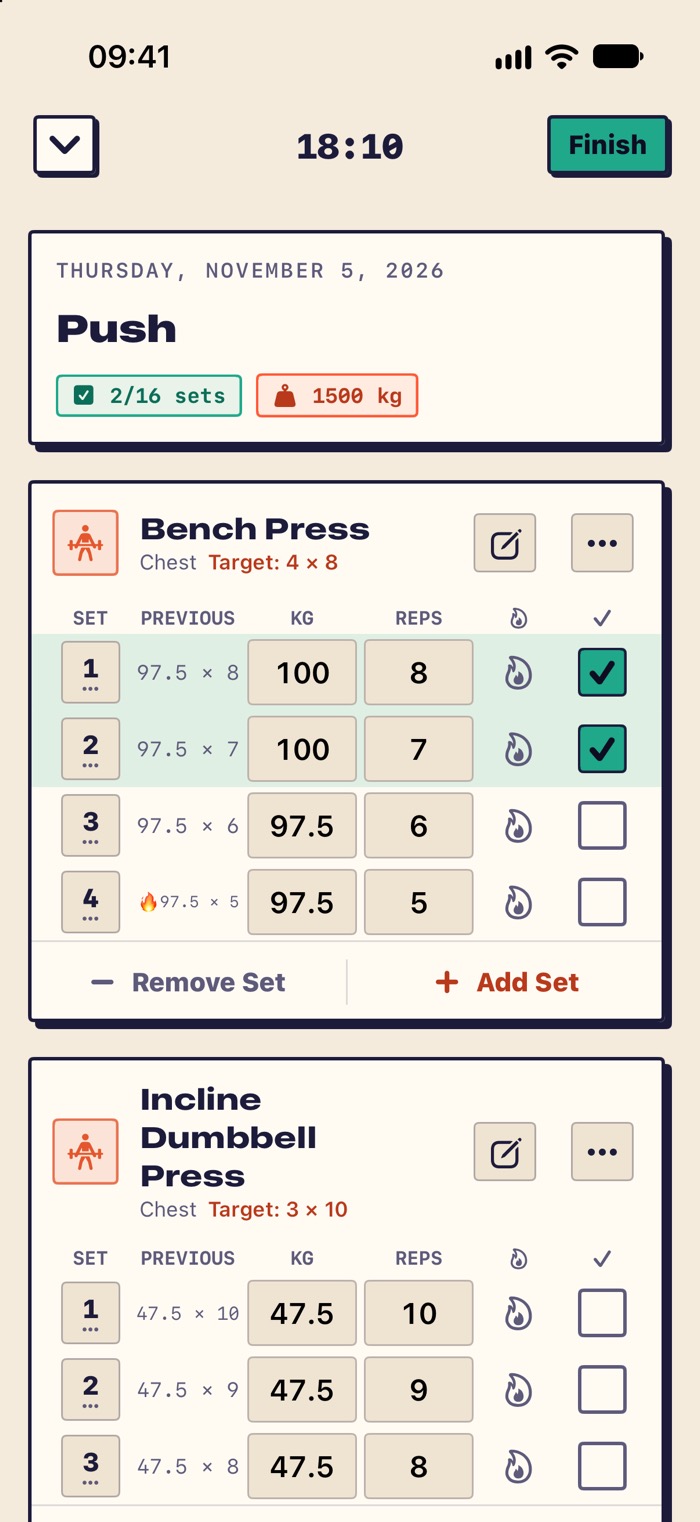
NotForGym remembers last time. Add an exercise and your previous weights and reps are already filled in. Lift, tap ✓, and try to beat them. It works anywhere you count reps or seconds.
Not out yet. This page will link to the App Store on launch day.
No account. No subscription. No plan limits.
About the name
Yes, it reads “not for gym.”
We picked the name on purpose. A gym is one place to train. A pull-up bar in the park, the living room floor and a football pitch are others.
NotForGym is a log for anyone who wants to beat their own last time. If you can count it in weight, reps or seconds, you can log it.
Distance and pace are not tracked. A run, a bike ride or a jump rope session is logged by time.
How it works
From first set to new record
-
Pick a plan
Start a sample Push, Pull or Legs plan, build your own, or start an empty workout.
-
Lift and tap ✓
Last time's weight and reps fill in for you. Went heavier? Change the number, then tap ✓. Rest counts down on your Lock Screen.
-
Beat last time
Finish the workout and see which records you broke. Next session, today's numbers are the ones to beat.
Screenshots
Real screens from the app
-
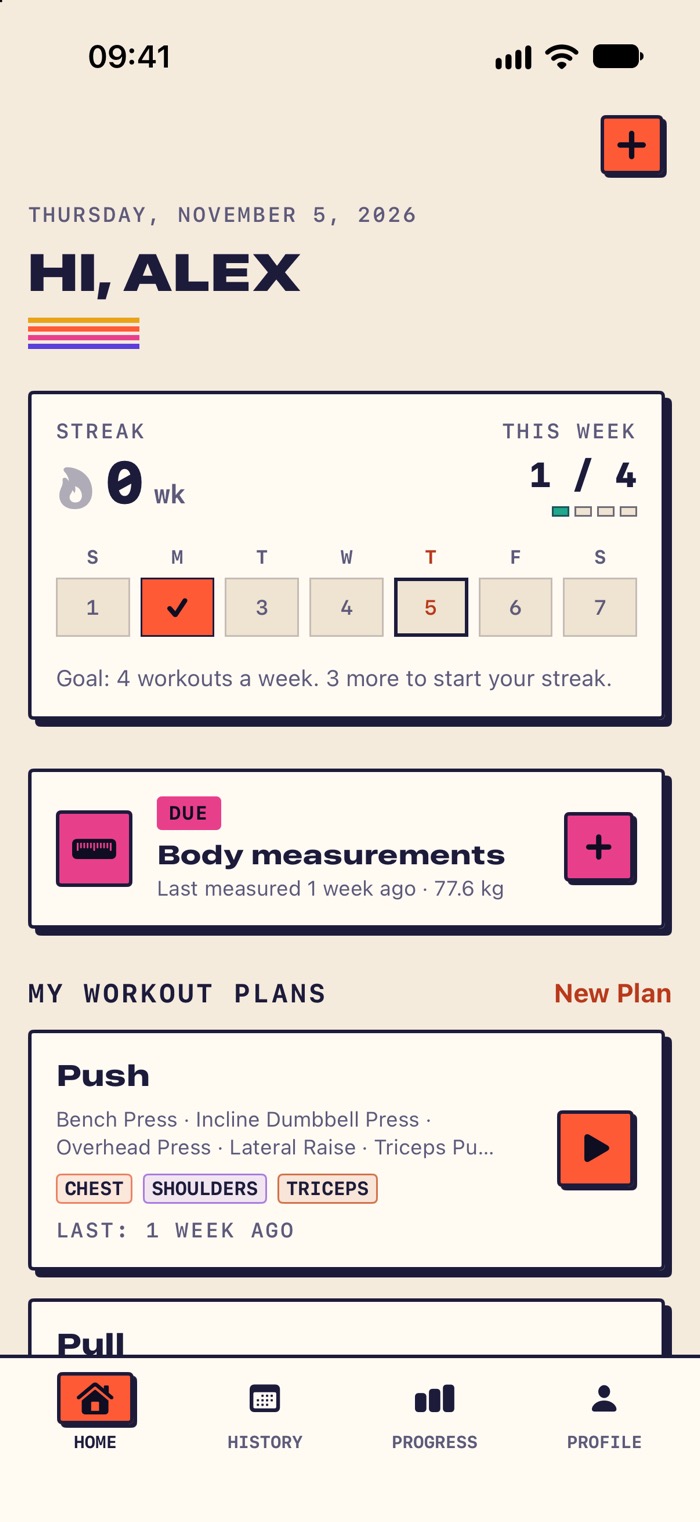
This week at a glance -
Last time is already filled in -
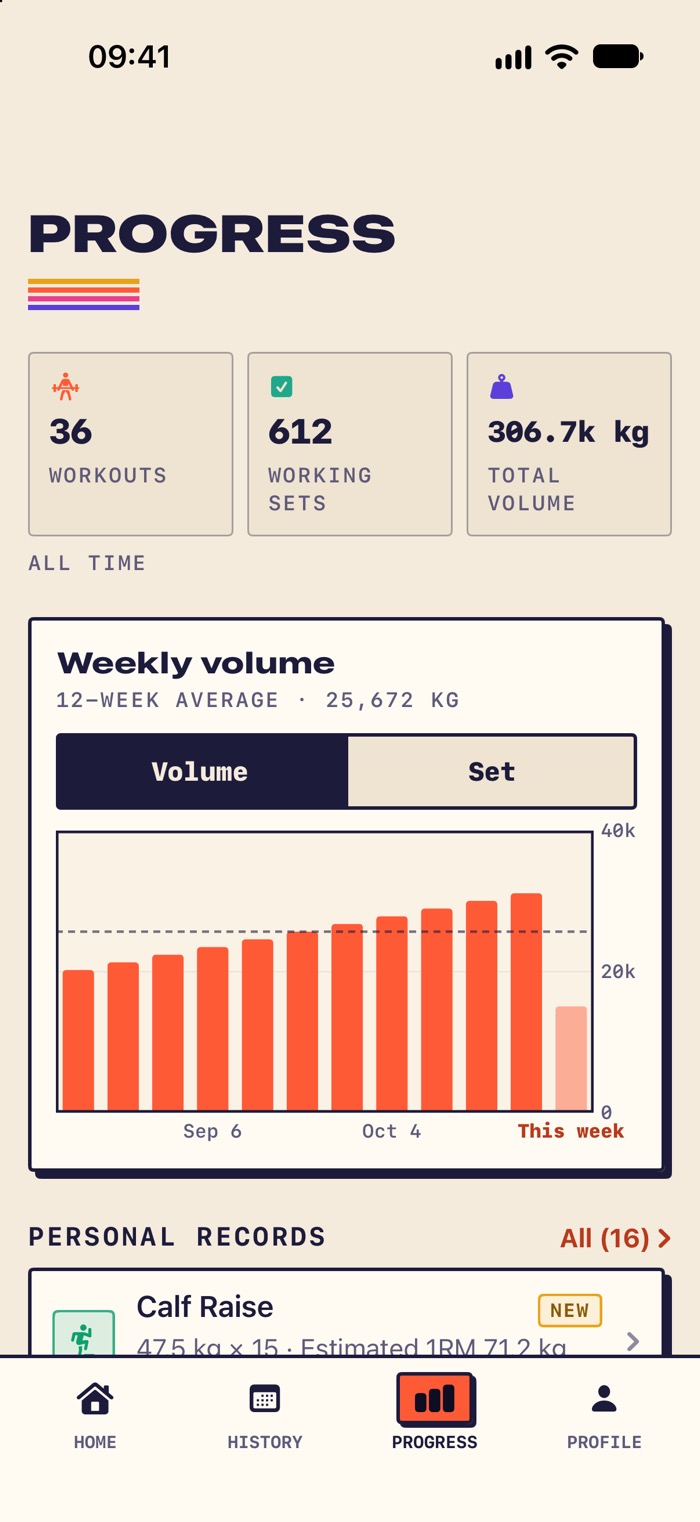
Your last 12 weeks in one chart -
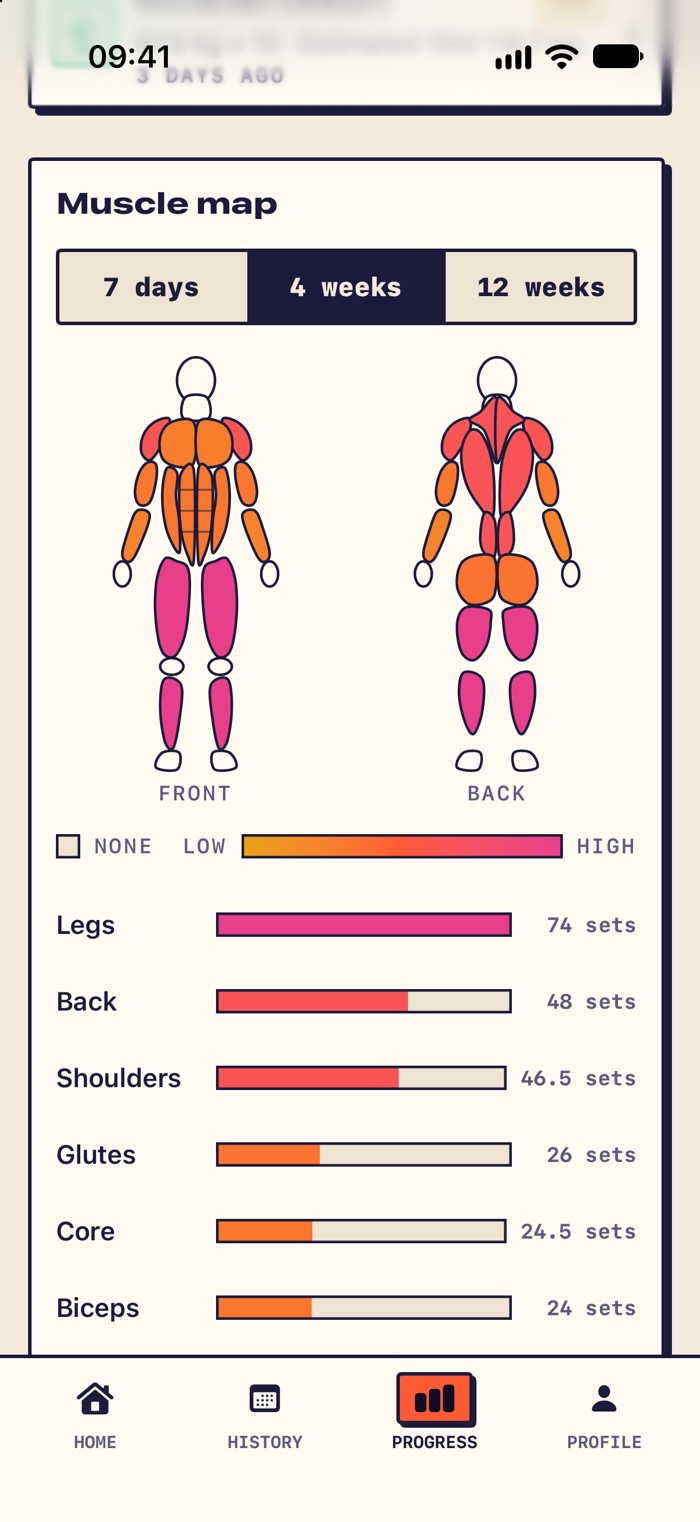
See which muscles you trained -
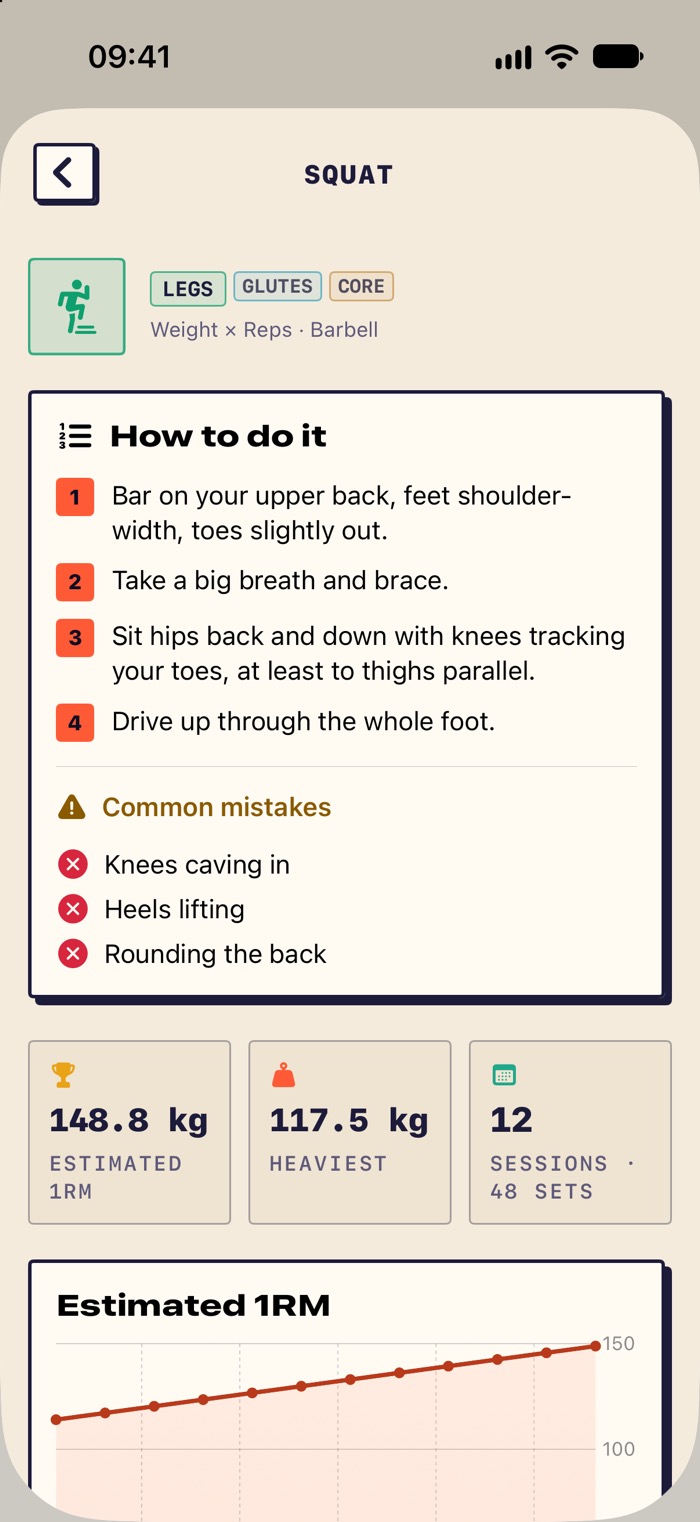
Step-by-step how-to guides -
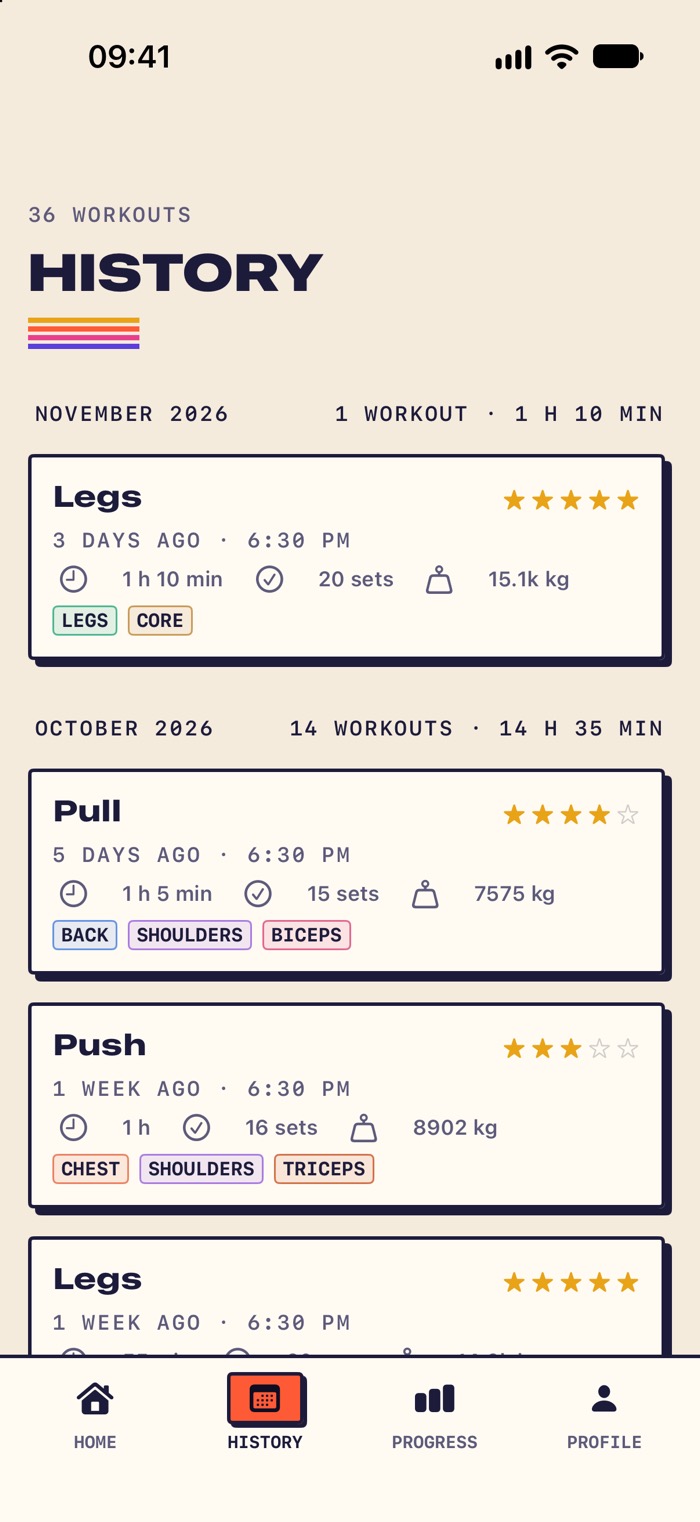
Every workout, month by month
Features
What's in the app today
Everything on this list is in the first release.
-
Last time, filled in
The PREVIOUS column shows last session's weight and reps, and new sets start with those numbers.
-
Sets from the Lock Screen
Complete a set, skip rest, add 15 seconds or mark failure from the Lock Screen or the Dynamic Island.
-
Unlimited plans
Set target sets, reps or time, save a finished workout as a plan, and repeat any workout from your history.
-
Weight, reps or time
Log weighted lifts, bodyweight moves and timed exercises, in kg or lb.
-
Records and progress
NotForGym finds your best estimated 1RM, most reps and longest time, and shows new records when you finish. The Progress tab adds a 12-week chart and a muscle map.
-
Weekly streak
Choose how many days a week you want to train, from 1 to 7, and keep your streak going.
Also included
- About 250 exercises
- Each one lists equipment and secondary muscles. You can add your own.
- 40 how-to guides
- Text guides with steps and common mistakes for 40 popular lifts, in all 8 languages.
- Set details
- Mark warm-up and failure sets, rate difficulty from 1 to 5, and read the note you left last time.
- Body measurements
- Log body weight, body fat and left and right measurements, with an optional reminder.
- iCloud sync
- Your data syncs through your own iCloud account and comes back on a new iPhone.
- Apple Health
- Save finished workouts to Apple Health with their duration and estimated calories.
- CSV export and plan sharing
- Export every workout as a CSV file, or send a plan to a friend who opens it in NotForGym.
- Forgotten workout guard
- Left a workout running? You get a reminder, and after 4 hours without activity it closes and saves your completed sets.
- 8 languages
- English, Türkçe, Deutsch, Español, Português (Brasil), Français, Italiano and 日本語.
Compare
How it compares
Strong and Hevy are good apps, and they have features we don't have yet, like an Apple Watch app. Here is how the free versions differ.
| Feature | NotForGym | Strong | Hevy |
|---|---|---|---|
| Account needed to start | No | Yes | Yes |
| Subscription | None | Optional PRO plan | Optional Pro plan |
| Routines in the free version | Unlimited | 3 | 4 |
| Custom exercises in the free version | Unlimited | No limit | 7 |
| Paid option | $4.99 one time, removes ads | Subscription or lifetime | Subscription or lifetime |
| Apple Watch app | Coming soon | Yes | Yes |
| Progress charts | Yes, free (last 12 weeks) | Yes, with PRO | Yes, last 3 months on free |
Based on each app's App Store page and help center, checked in October 2026. Plans and prices can change, so check the App Store for the latest.
Pricing
Every feature, free.
Ads keep NotForGym free. You won't see any while you train or right after you finish. If you'd rather not see them at all, one purchase removes every ad permanently. It's a one-time payment, and it supports an independent developer.
Remove Ads
US$4.99, one time
The App Store shows the price in your local currency.
- No ads during or right after a workout
- One $4.99 purchase removes all ads
- Restore it on any iPhone with your Apple Account
- Erasing your data keeps the purchase
Privacy
Your log lives in your iCloud.
You start without signing up. Your workouts, plans and measurements are stored on your iPhone and in your own iCloud account. They never go to our servers. NotForGym doesn't have any.
Ads are served by Google AdMob. If you allow it, AdMob can use your device's advertising identifier. Your workout and health data are never shared. The privacy policy has the details.
- Start without an email address
- Export every workout as a CSV file
- Erase everything with Face ID
Frequently asked questions
Why is it called NotForGym?
The name reads “not for gym” on purpose. You can train at a gym, in a park or at home, and the log works the same way everywhere.
Is it really free?
Yes. Every feature is free, with no limit on plans, exercises or history. Ads pay for it, but you won't see any during or right after a workout. A one-time purchase of $4.99 removes all ads.
Do I need an account?
No. You open the app, choose a name, pick kg or lb and set a weekly goal. If you're signed in to iCloud, your data is backed up to your own iCloud account.
Can I log running, football or other sports?
Yes, by reps and time. Running, cycling and jump rope are logged as time. Drills and bodyweight moves can be logged as reps, and you can add your own exercises. Distance, pace and GPS routes are not tracked.
Does it work on Apple Watch?
Not yet. An Apple Watch app is on our list, but there's no date yet. During a workout, you can complete sets from the Lock Screen and the Dynamic Island.
Are there progress charts?
Yes, in the Progress tab, and it's free. It shows your weekly volume or sets for the last 12 weeks, your personal records, and a muscle map of how much you trained each muscle in the last 7 days, 4 weeks or 12 weeks. During a workout, your previous numbers appear next to every set.
Can I bring my data from Strong or Hevy?
Not right now. NotForGym can only import files exported from NotForGym. Plans are unlimited, so you can rebuild your program and start fresh.
Which iPhones are supported?
Any iPhone running iOS 26.2 or later.
Your only rival is last time.
Log your first workout today. Next time, the numbers to beat will be waiting.
Not out yet. This page will link to the App Store on launch day.
Free on iPhone. No account needed.